Feeling Lonely? How Video Chat Can Help You Connect
How video chat recreates in-person cues to reduce loneliness — with setup tips, safety guidelines, and platform comparisons.
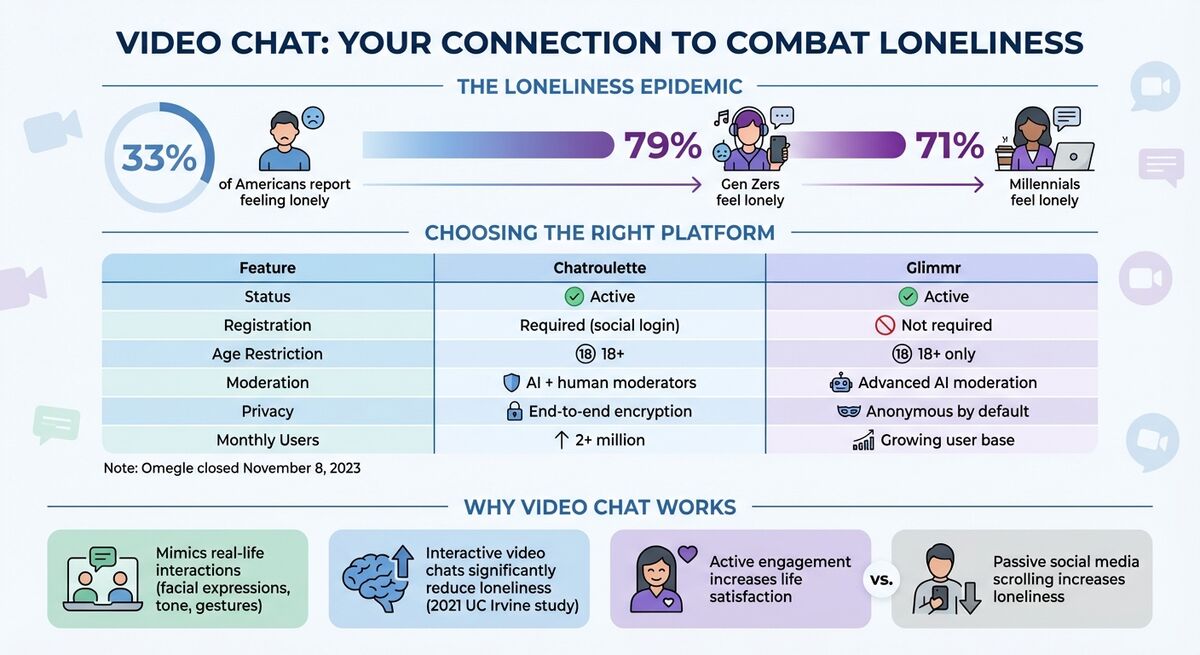
Loneliness is more common than many realize. According to recent studies, 33% of Americans report feeling lonely, with 79% of Gen Zers and 71% of millennials experiencing it regularly. Video platforms like Zoom and Glimr can help combat this isolation by providing meaningful human connection.
Key takeaways:
- Video mimics real-life interactions through facial expressions and tone
- A 2021 study confirms interactive video chats significantly reduce loneliness
- Anonymous platforms (Glimr) and personal tools (Zoom, FaceTime) serve different connection needs
- Proper setup and safety precautions enhance the experience
How Video Chat Reduces Loneliness
The power of video chat lies in its ability to convey nonverbal cues — facial expressions, tone of voice, gestures, and eye contact — that create genuine interaction. Unlike text messages or social media posts, video calls replicate the richness of face-to-face conversation.
A University of California, Irvine study conducted in July-August 2021 with 249 participants found that interactive Zoom sessions significantly reduced loneliness compared to passive control groups. The research showed that active engagement was a stronger predictor of satisfaction than passive social media scrolling.
"The more 'lifelike' a social interaction, the more strongly people will experience these positive outcomes" — Computers in Human Behavior Reports
"The next best thing to in-person interaction is video chat, because facial cues, body language and other nonverbal forms of communication are important for bonding." — Kasley Killam, Social Scientist
Anonymous Platforms vs. Personal Tools
Anonymous platforms like Glimr offer a unique opportunity to meet new people without the pressure of existing social connections. This can be particularly valuable for those who feel isolated in their current social circles or want to practice social skills in a low-stakes environment.
Meanwhile, tools like Zoom, FaceTime, and Google Meet excel at maintaining existing relationships, especially with friends and family who live far away.
Preparing for Safe Video Chats
Setup Requirements
Before diving into video chat, ensure you have:
- A working webcam, microphone, and speakers
- A strong, stable internet connection
- Camera positioned at eye level for natural conversation
- Good front-facing lighting (a window works great)
- A quiet environment to minimize distractions
- Any necessary account setup and age verification completed
- Up-to-date software from official sources
Safety Guidelines
Protecting yourself online is essential:
- Never share financial information, home address, or phone number
- Cover your webcam when not in use
- Use a pseudonym instead of your real name
- Be mindful of what's visible in your background
- Trust your instincts — if something feels wrong, end the conversation
- Use reporting and blocking tools when needed
Red flags to watch for:
- Requests for money or financial assistance
- Pressure to switch to different platforms
- Refusal to show their face
- Frozen video feeds (may indicate pre-recorded loops)
How to Use Glimr
Starting a Chat
Getting started with Glimr is simple:
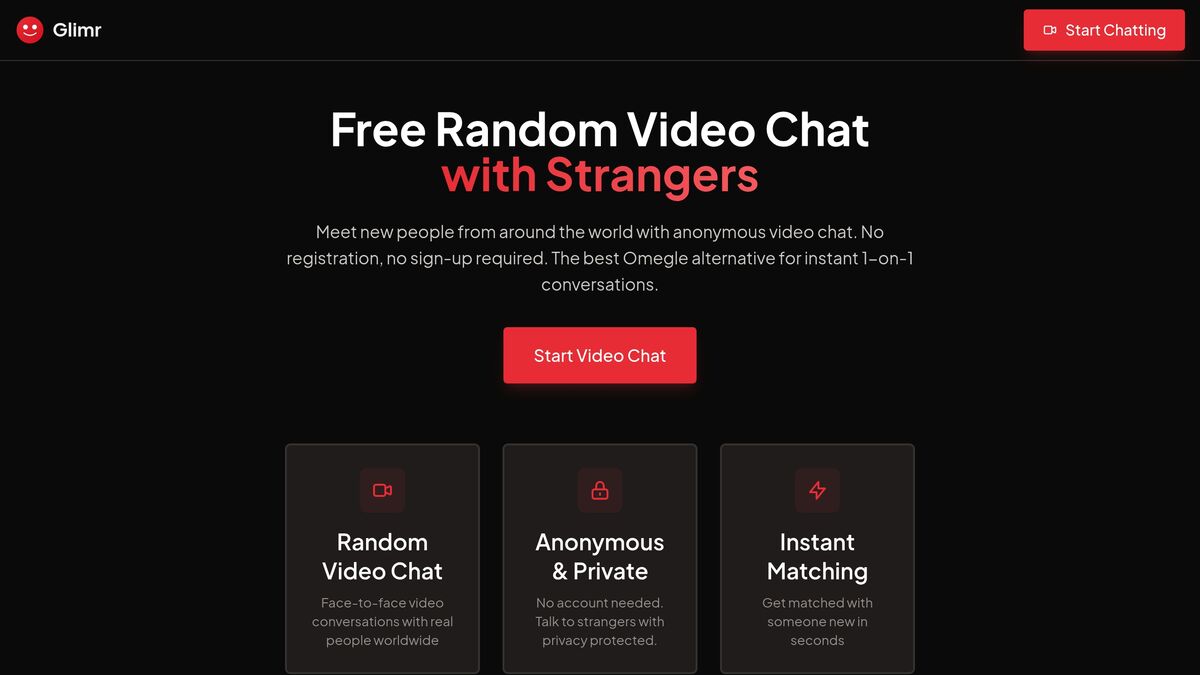
- Visit glimr.tv — no app download, no registration, no lengthy forms
- Grant your browser permission to access your camera and microphone
- Click Start to be instantly connected with someone new
Glimr is fully mobile-optimized and browser-based, so you can connect from any device.
Main Features
- Random one-on-one video pairing for spontaneous conversations
- 18+ only environment for mature, respectful interactions
- Anonymous option to protect your privacy
- 4.3/5 stars from 15,200+ reviews
- Focus on meaningful conversations and shared interests
- Built-in reporting for inappropriate behavior
- Advanced moderation tools and community safety measures
Glimr vs. Other Platforms
| Feature | Omegle (Closed) | Chatroulette | Glimr |
|---|---|---|---|
| Status | Closed Nov 2023 | Active | Active |
| Registration | Not required | Required | Not required |
| Age Restriction | None enforced | 18+ | 18+ only |
| Moderation | Minimal | AI + human | Advanced AI + reporting |
| Privacy | Stored logs 120+ days | Encryption | Anonymous option |
| Matching | Random | Random | Random one-on-one |
Why choose Glimr:
- Focus on meaningful interactions over random encounters
- User-friendly safety tools and easy reporting
- No registration barrier — jump right in
- Strong commitment to user privacy
Tips for Better Video Chat Conversations
Starting Conversations
- Observe their background — books, art, or pets can be great conversation starters
- Read body language — facial expressions and gestures provide context
- Ask for small favors or advice — this builds rapport and connection
- Use humor — laughter often predicts connection more than conversation length
"When a friend shares a problem, I ask if they are seeking advice or just want to be listened to. It's astoundingly rare for people to say they want advice." — Marissa King, Ph.D., Yale School of Management
Setting Healthy Boundaries
- Exit uncomfortable conversations without hesitation — use the "Next" button on Glimr
- Put your phone away to show empathy and stay present
- Protect personal information — avoid sharing your full name, address, or phone number
- If you decide to meet someone in person, choose a public location and inform a trusted friend
Using Reporting Tools
- Flag inappropriate behavior immediately — this helps protect the community
- Active engagement combats isolation; passive browsing increases disconnection
- Familiarize yourself with the platform's reporting features before you need them
"There is something about the reactions from the audience and the interaction that impacts people over and above just watching a live session." — Amit Goldenberg, Harvard Business School
Common Mistakes to Avoid
Sharing Too Much Personal Information
Oversharing can lead to scams or harassment. To stay safe:
- Use strong, unique passwords for your accounts
- Never share financial details or login credentials
- Plan any in-person meetings carefully and always in public spaces
Ignoring Community Guidelines
Community guidelines exist to create respectful, secure environments:
- Read and understand the platform's code of conduct
- Report violations when you see them
- Remember that your behavior affects everyone's experience
Conclusion
Research consistently shows that active participation in video chat — with your camera on and engaging in real conversation — delivers greater benefits than passive social media scrolling. Platforms like Glimr provide valuable tools for combating loneliness and building social connections.
Prioritize your safety by following guidelines, protecting your personal information, and using reporting features when needed. Start small — schedule regular video calls with friends, or try a spontaneous chat on Glimr.
Chronic loneliness poses real health risks, and social connection is essential for wellbeing. Video chat offers a bridge to meaningful human interaction, wherever you are.
Frequently Asked Questions
How can video chat help me feel less lonely?
Video chat provides real-time connections that create a sense of community and emotional support. The ability to see facial expressions and hear tone of voice makes conversations feel more genuine than text-based communication. Studies show that video calls significantly reduce feelings of isolation, especially for those with limited opportunities for in-person interaction.
How can I stay safe while using video chat platforms?
Protect your personal information by never sharing your full name, address, phone number, or financial details. Use pseudonyms when possible, turn off your camera and microphone when not actively chatting, and report any inappropriate behavior immediately. Trust your instincts — if a conversation feels unsafe, leave immediately.
What makes Glimr different from other video chat platforms?
Glimr focuses on purposeful, community-driven interactions rather than purely random encounters. The platform emphasizes user safety and comfort through advanced moderation tools, easy reporting features, and a commitment to accountability. Unlike some alternatives, Glimr requires no registration while still maintaining a mature, 18+ environment.